Follower
Free
- Public posts and release notes
- The monthly newsletter
Free, and it runs in your browser
Record guitar through real amp models, make beats, mix with 21 studio effects and export your song. Nothing to install, no plugins to buy, no account.
Works best in Chrome or Edge on a desktop computer.
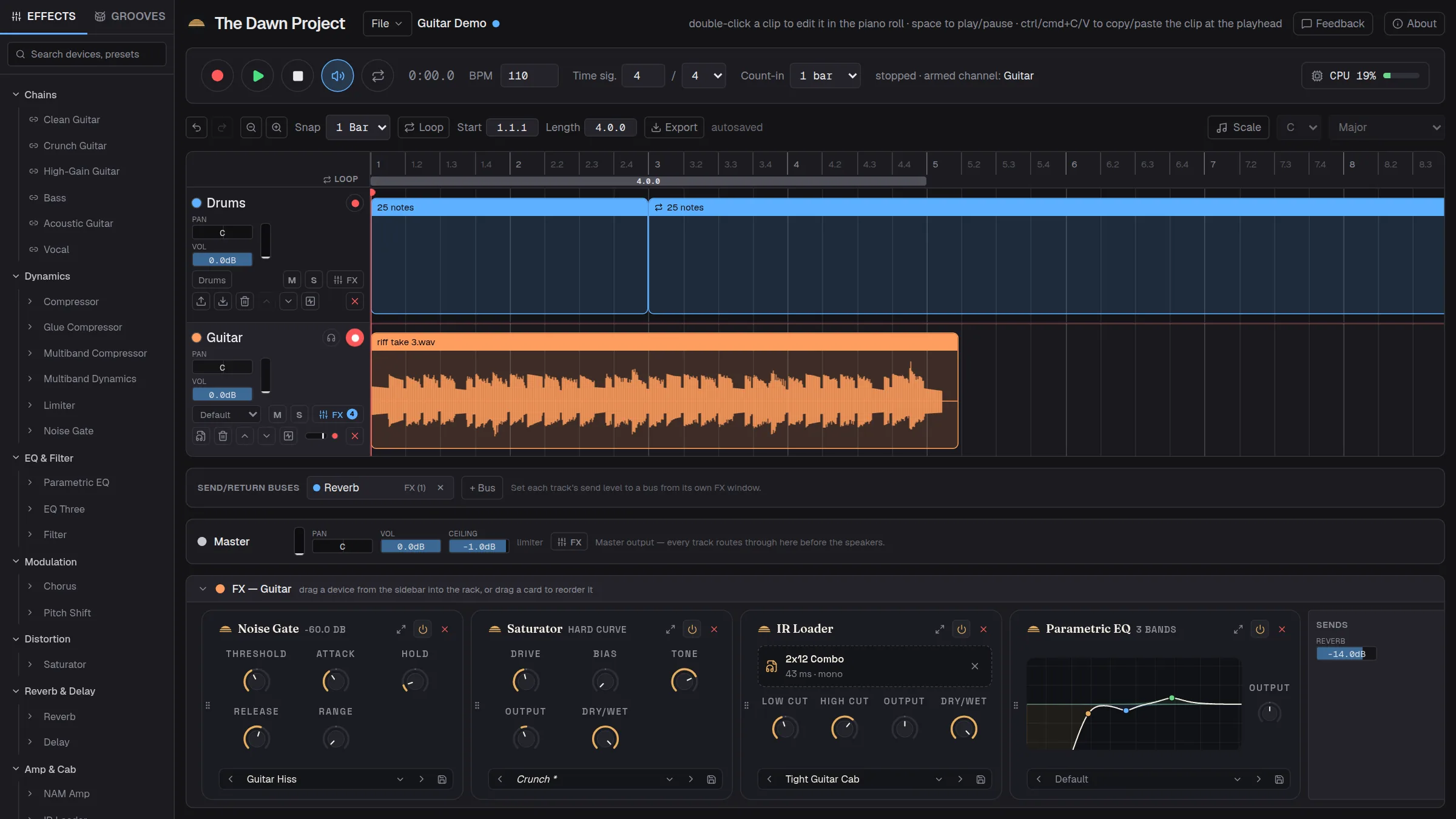
Follow the signal: from your guitar, through a real amp and a rack of effects, to files you keep.
The amp
Neural amp models (NAM) and cabinet impulse responses run right in the tab. Start from Dawn's own amps and cabinets, or load your own .nam captures and IRs.
The rack
A 24-band EQ with mid/side, compressors, multiband dynamics and a saturator. Sidechain the kick to the bass in two clicks, and automate any knob.
The output
Projects save as folders on your computer, with your undo history. Take stems and MIDI to any other DAW whenever you like.
Three steps, like three pedals on the floor.
Guitar demo, Beat, Voice + guitar, Podcast, or an empty project. Every template makes sound within three clicks.
Count-in, metronome, loop and latency alignment, so your takes land on the beat.
MP3 for your band chat, WAV for quality, stems and MIDI for your main DAW.
Dawn runs on what you have. These make it run well.
Something else? Ask in the Discord.
Yes. Dawn is free to use, with no account and no trial. Supporters get extras like sound packs and early access, but core features are never behind a paywall.
Anyone with an idea should be able to record it. Dawn is funded by people who choose to support it, not by ads or by locking features away.
Yes. Your projects never leave your computer. Analytics only counts actions like "exported a song"; it never collects audio, project content or personal data, and you can turn it off.
Once installed as an app from Chrome or Edge, Dawn opens without a connection and loads your saved projects.
Chrome and Edge on a desktop computer work best. Firefox and Safari work with some limits, which the setup guide explains.
Not in the browser: that's what Dawn's 21 built-in effects, the NAM Amp and the IR Loader among them, are for. Dawn's desktop app, on its way, plays your VST3 and CLAP effects and instruments. You can always export stems and finish in your main DAW.
Hi, I'm Angel, and I build The Dawn Project on my own. Support pays for development time, new amp tones, drum grooves and sound packs. Core features are never behind a paywall.
Open Dawn and turn the idea in your head into a demo you can send tonight.
Open Dawn